BACKUP & RESTORE

Protect Your Contacts and Bookmarks

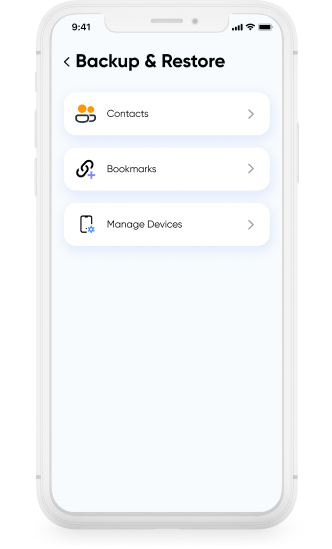
Smart Transfer App’s Backup & Restore feature lets you back up your contacts and bookmarks and restore them when needed. You can create local backups stored on your device for quick access or use cloud backup to keep copies available over time. With both on device and cloud backup options, your important information stays available whenever you need to restore it.


⭐ ⭐ ⭐ ⭐ ⭐

Trusted by millions of users worldwide
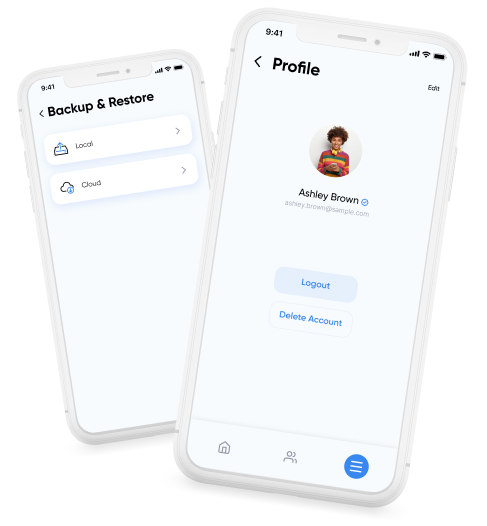
Backup & Restore hero image showing Smart Transfer backing up contacts and bookmarks securely.

Never Lose Your Contacts or Bookmarks Again

Over time, you build a contact list and save bookmarks that become a collection of important pages, useful tools, and things you want to revisit later. If you reset or lose your phone or accidentally delete something, rebuilding everything takes time. Backup & Restore lets you save copies so you can restore your contacts and bookmarks whenever you need them.

Backup & Restore local backup screen saving contacts and bookmarks on device.

Local Backup

Local backup stores your phone book directly on your device. This option is useful for users who want to keep backups on their phone and manage them locally. Backups created using local backup can be restored on the same device.

Backup & Restore cloud backup storing contacts and bookmarks securely in cloud.

Cloud Backup

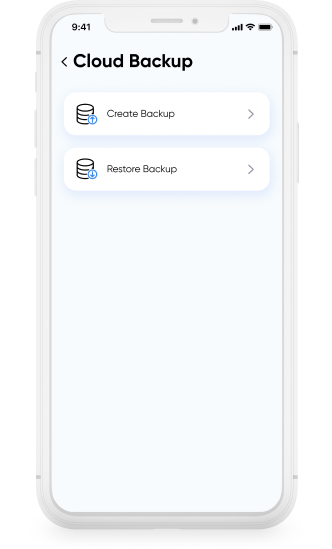
Cloud backup stores your contacts and bookmarks in the cloud. This allows you to restore your address book on a new device if you switch phones or lose access to your current one, so your information stays accessible even when your device changes.

Download Smart Transfer App

Back up and restore your contacts and bookmarks with flexible local and cloud backup options. Smart Transfer App helps keep your essential information available whenever you need it.

FAQs

Q1. What does Smart Transfer back up?
Smart Transfer backs up your contacts and bookmarks, allowing you to restore them instantly through local backup or cloud backup options.
Q2. Do I need an account to use Backup & Restore?
You only need an account for cloud backups. Local backups in the bookmark backup app work without signing in.
Q3. Can I restore bookmarks on a new phone?
Yes. With cloud backup, you can restore bookmarks on Android or iOS by signing into your Smart Transfer profile on the new device.
Q4. How often should I create a backup?
It’s best to run a backup whenever you add new contacts or save important links. Many users back up weekly for reliable bookmarks sync.
Q5. Will restoring a backup replace my existing contacts or bookmarks?
No. Restore simply adds your saved data to your device. It won’t delete existing entries, and you can manage duplicates later through the app.