SMART STORAGE MANAGER

Declutter, Organize, Secure, and Access with Ease

Smart Transfer App’s smart storage manager helps you declutter and organize your phone storage. It finds duplicate and blurred photos, groups similar images, lets you move your precious data to a locked folder, create your own folders for better organization, and quickly access the files that matter most.


⭐ ⭐ ⭐ ⭐ ⭐

Trusted by millions of users worldwide
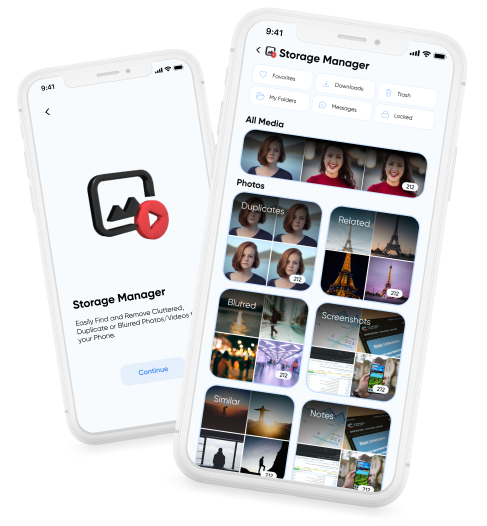
Storage Manager hero image showing Smart Transfer storage cleanup, duplicate removal, and file organization tools.

Keep Your Storage Organized and Accessible

Smart Transfer App’s smart storage manager helps you organize your files so they are easily accessible across your devices. It gives you a clearer view of your storage, making it easier to manage content and keep your precious data at your fingertips whenever you need it.

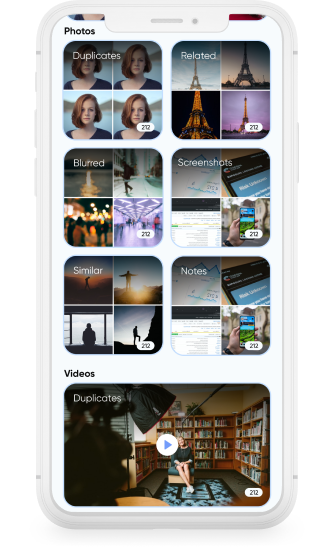
Storage Manager cleaning duplicate, similar, and blurred photos to free up phone storage.

Clean and Optimize Storage

Smart Transfer App filters your media library into categories such as Duplicate, Similar, Blurred, Screenshots, Documents, and more to help identify unnecessary files for deletion. Its storage optimizer capabilities help free up storage while keeping you in full control of your precious files.

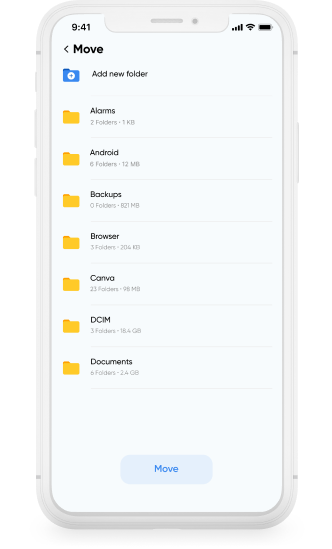
Storage Manager file manager screen organizing folders and files efficiently.

Organize Files Efficiently

Create new folders, move files between folders, and group media into categories using an intuitive phone file manager. This flexible file organizer lets you arrange content in a way that fits how you use your device.

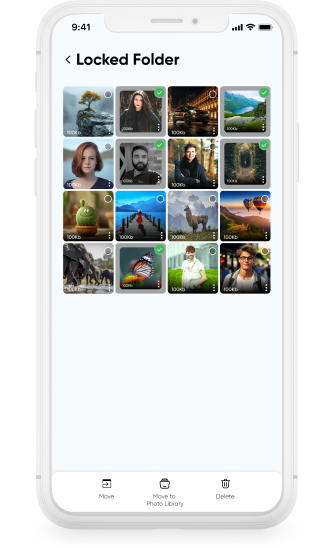
Storage Manager locked folder securing private photos and sensitive files.

Secure Sensitive Content

Move private photos, videos, and files into a locked folder for added privacy and controlled access.

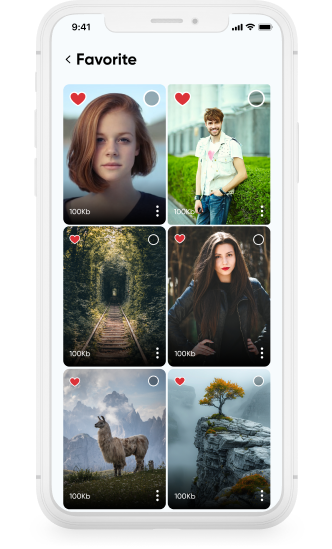
Storage Manager favorites and quick access screen for important files and photos.

Access Files Quickly

Mark your photos, videos, and other documents as favorites to keep them easy to find. With Smart Transfer App working as both a file manager and storage manager, your files remain organized and accessible whenever you need them.

Download Smart Transfer App

Organize your media, manage folders, and take control of your device storage in one place. Smart Transfer App’s Storage keeps your files structured, secure, and easy to manage.

FAQs

Q1. What does Smart Transfer App’s Storage do?
Storage helps you review, organize, move, and manage media across your device. You can restructure folders, relocate files, protect content in locked folders, and remove unnecessary items in a controlled way.
Q2. Can I move files to different folders on my device?
Yes. You can relocate photos, videos, and other files to different folders within your phone or tablet, helping you keep storage structured instead of scattered.
Q3. Does Storage delete files automatically?
No. Nothing is removed automatically. You preview and confirm every action, whether you are deleting files, moving them, or organizing them into new folders.
Q4. Can I create new folders within the app?
Yes. Storage allows you to create custom folders directly within the app, giving you more flexibility than relying only on default system folders.
Q5. Does Storage support locked folders?
Yes. You can move selected media into locked folders for additional privacy and controlled access on supported devices.
Q6. Is Storage available on Android and iPhone?
Yes. Smart Transfer App’s Storage works across Android and iOS devices, offering a consistent way to manage and organize storage across platforms.