CONTACT MANAGER

Clean, Merge, and Manage Your Contacts

Smart Transfer App’s Contact Manager feature helps you keep your phonebook neat, tidy, and up to date. It detects duplicate contacts, highlights incomplete entries, and lets you merge matching contacts to keep your contact list accurate and easy to manage.


⭐ ⭐ ⭐ ⭐ ⭐

Trusted by millions of users worldwide
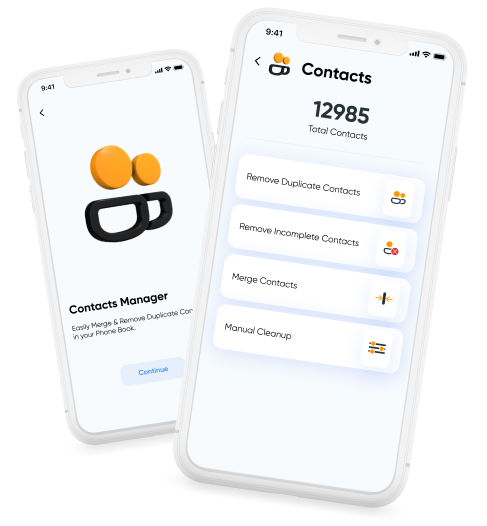
Contacts Cleaner hero image showing Smart Transfer cleaning, merging, and managing phone contacts.

Keep Your Contacts Organized

Smart Transfer App’s Contact Cleaner helps maintain a decluttered and reliable phonebook. It identifies common contact issues and provides clear tools to review, merge, and manage entries without losing important information.

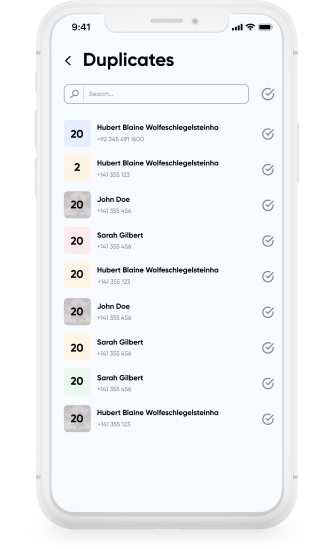
Contacts Cleaner detecting duplicate contacts in phone contact list.

Detect Duplicate Contacts

Duplicate entries are grouped together so they can be compared easily. This allows you to decide which contacts should be kept, merged, or removed.

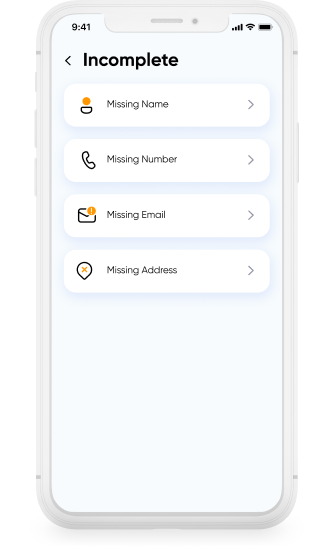
Contacts Cleaner identifying incomplete contacts missing names or phone numbers.

Identify Incomplete Contacts

Contacts missing key details such as names or phone numbers are highlighted separately, helping you locate entries that require updates.

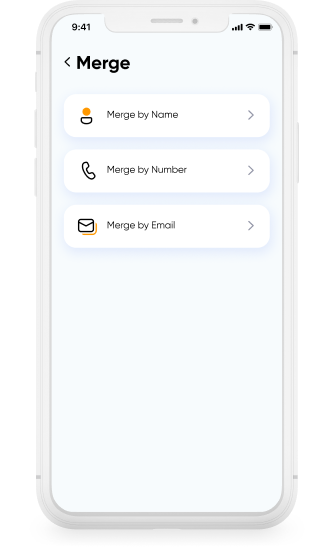
Contacts Cleaner merging duplicate contacts and editing contact details.

Merge and Edit Contact Details

Related entries can be combined into a single contact, bringing names, numbers, and other information into one profile. Individual contacts can also be reviewed and edited when manual adjustments are needed.

Download Smart Transfer App

Clean duplicate contacts, fix incomplete entries, and keep your phonebook organized with ease. Smart Transfer App’s Contact Cleaner helps maintain an accurate and reliable contact list.

FAQs

Q1. How does Smart Transfer App detect duplicate contacts?
Smart Transfer App scans your phonebook for matching names, numbers, or email addresses and groups possible duplicates together so they can be reviewed easily.
Q2. Can I safely delete or merge duplicate contacts?
Yes. You can preview each entry and decide which contacts to keep, merge, or remove. All changes are confirmed by you before they are applied.
Q3. Can the app help identify incomplete contacts?
Yes. Smart Transfer App highlights contacts with missing names, numbers, or other details so they can be reviewed, updated, or removed if necessary.
Q4. Will Smart Transfer App change my contacts automatically?
No. Contacts are never merged or deleted automatically. You review and confirm every action before any change is made.
Q5. Does Contact Manager work on both Android and iPhone?
Yes. Smart Transfer App’s Contact Manager works on both Android and iOS devices, helping you organize and maintain your phonebook across platforms.
Q6. What happens after I organize my contacts?
After cleaning your contact list, you can sync it with services such as Google or iCloud so your updates remain consistent across your devices.