Back Up, Restore and Share Data the Smart Way
Move files between your devices, keep important mobile data backed up, and restore it when you need it, all from one simple desktop app.
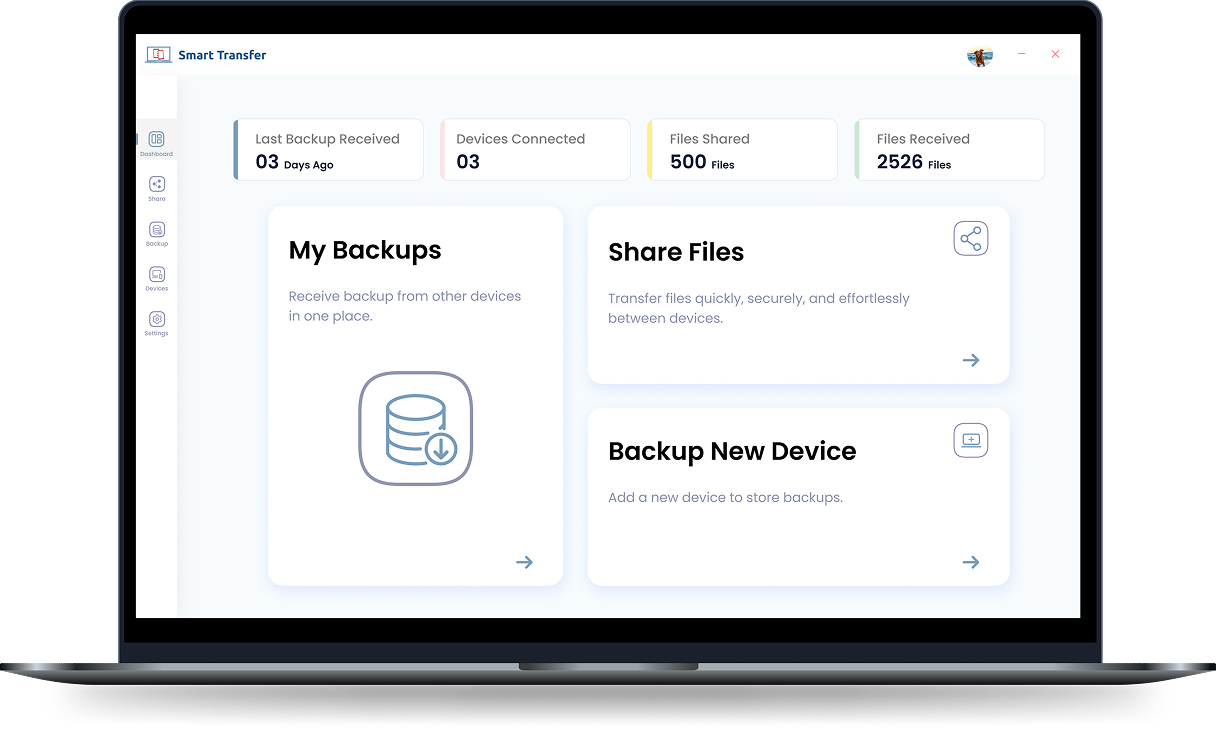
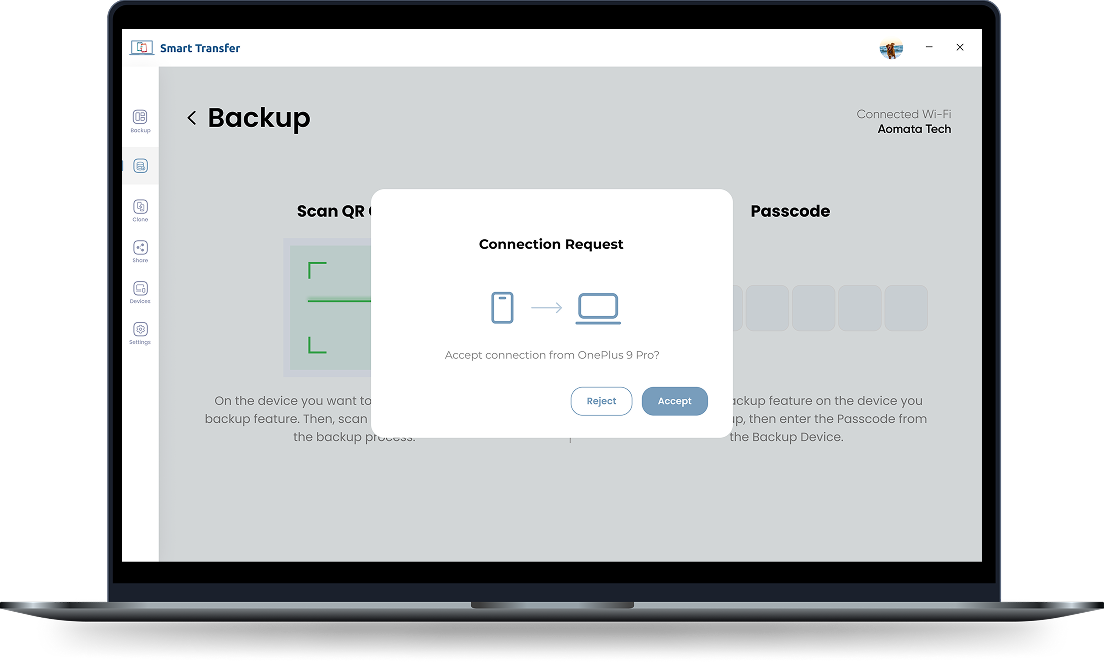
Direct high-speed local P2P transfer
Your Digital World Deserves a Smarter Home
Move important files, keep a backup on your PC, and manage your data without relying on cables or complicated setups
Install Smart Transfer
Download and install Smart Transfer on your Windows PC and supported mobile device to get started.
Desktop setup < 1 minPair Your Devices
Connect your devices securely and get ready to share files or create a backup.
QR scan or 6-digit codeChoose What You Want to Do
Select whether you want to transfer files between devices or back up supported mobile data to your PC.
Flexible full or custom modeStart Sharing or Backing Up
Move files between supported Android, iOS, and desktop devices, or create a backup from your Android or iOS device on your Windows PC.
High-bandwidth Wi-Fi speedsManage Your Data
Keep your transferred files and backups organized, making it easier to find what you need.
Categorized by photos, media & docsAccess or Restore When Needed
Open your saved files anytime or restore data from an existing backup when you need it.
Instant 1-click restore to deviceWhy Smart Transfer Is the Data Transfer Software for Windows You Need
Smart Transfer brings file sharing, backup, and restore tools together in one simple Windows application.
Share Files Across Your Devices
Send files between your Android device, iPhone, iPad, and desktop without making email attachments, cloud uploads, or cables part of the process. Whether you are moving files from Android to Desktop, Desktop to Android, iOS to Desktop, Desktop to iOS, or Desktop to Desktop Smart Transfer gives you a more convenient way to keep your content moving.
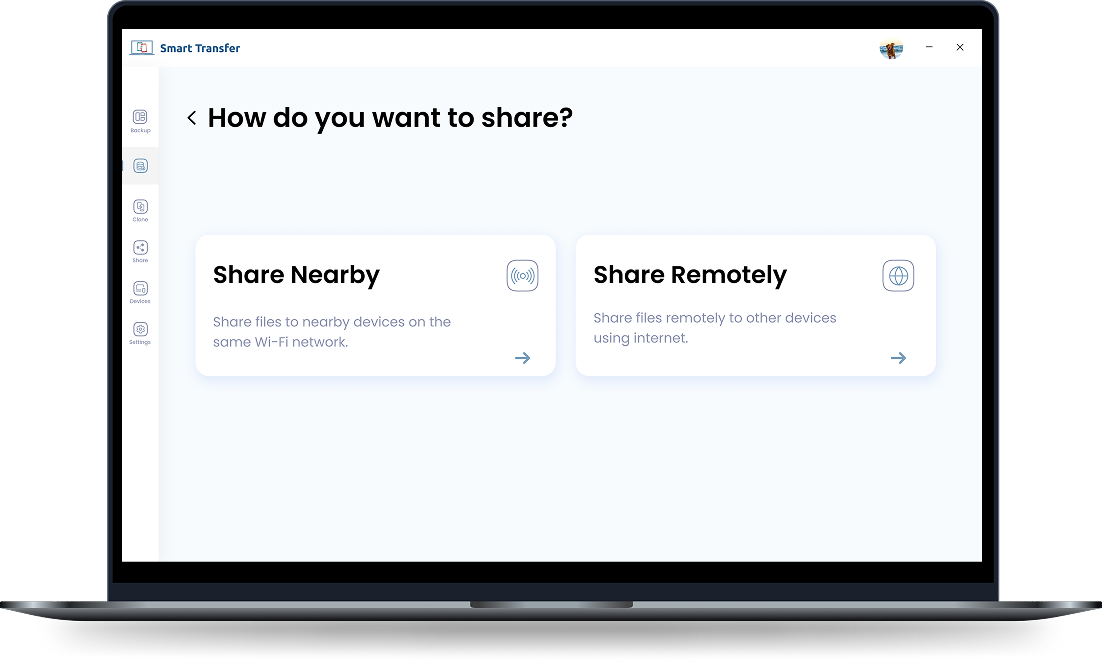
Back Up Your Android or iOS Device
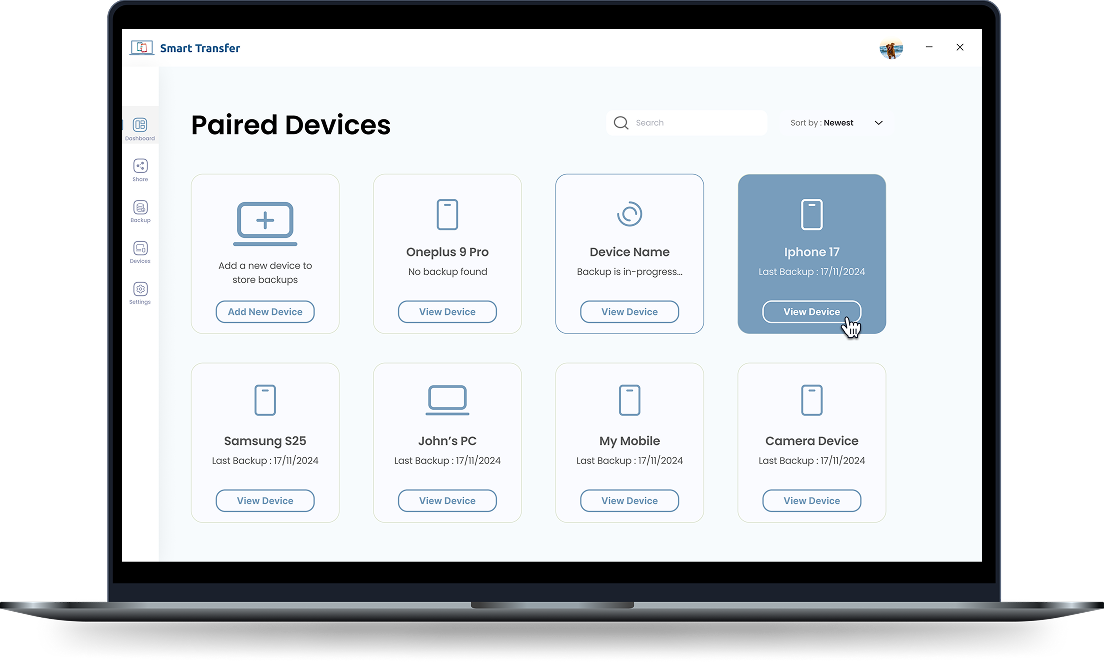
Keep an extra copy of your important mobile data on your Windows PC. Smart Transfer supports backups from Android to Desktop and iOS to Desktop, giving you a simple way to save supported data before switching devices, clearing your phone, or making other changes. Your backup stays accessible on your desktop whenever you need it.
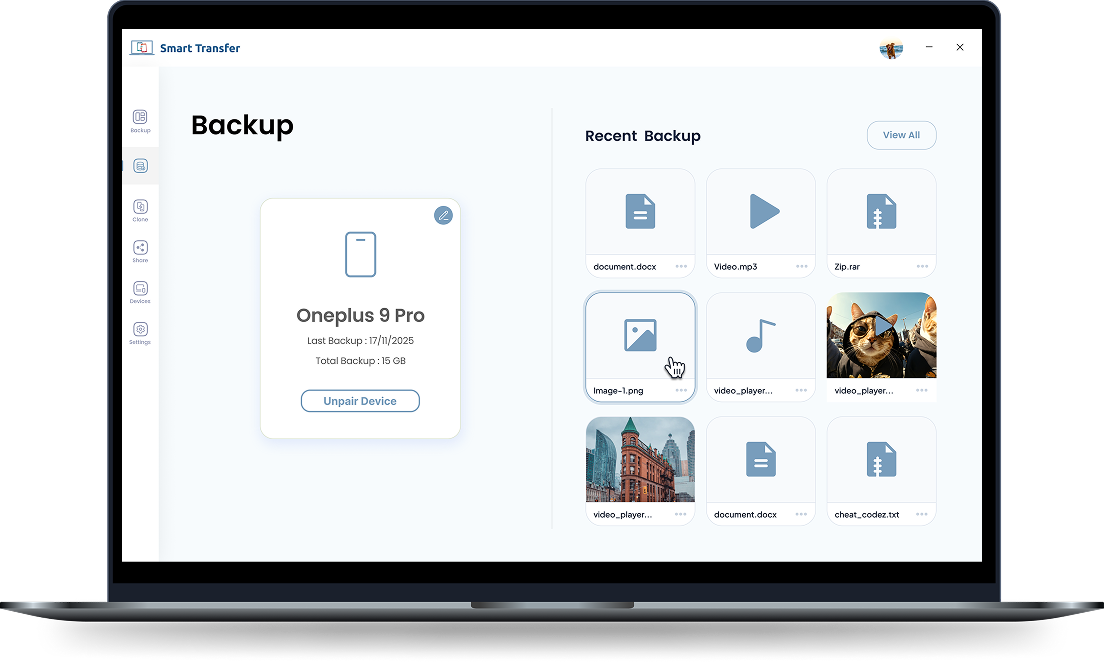
Transfer Files Between Devices
Your files should not feel trapped on one device. Smart Transfer makes it easier to move supported content between mobile devices and desktops, whether your devices are beside you or part of your everyday workflow. Send files from your phone to your PC, or between supported desktop devices without unnecessary steps.
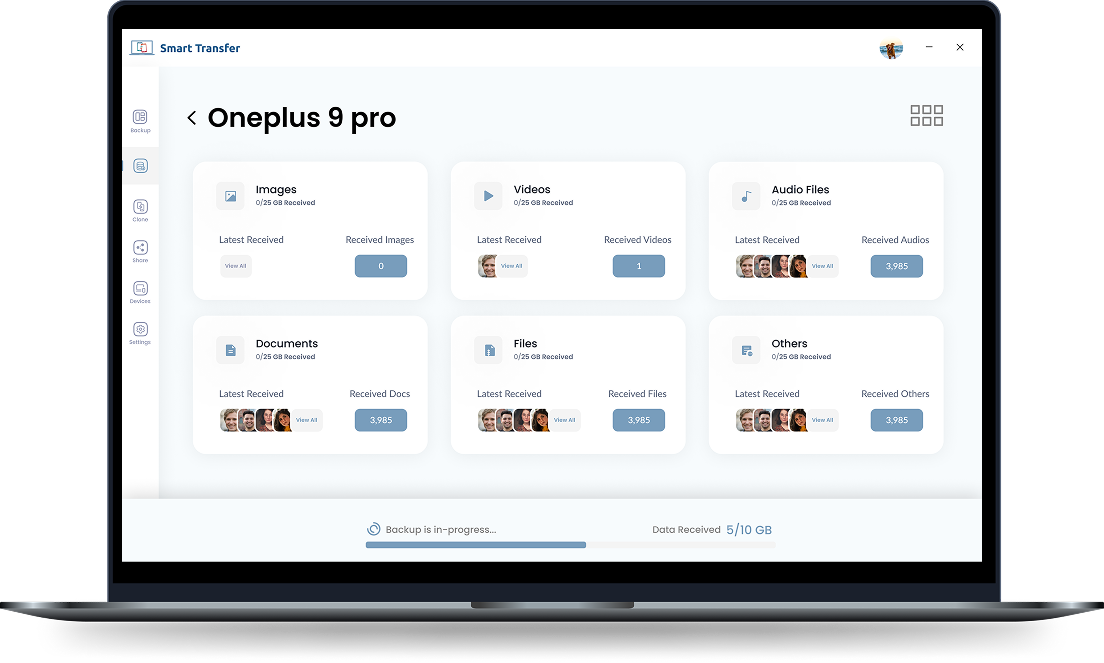
Centralized Data Management
Keep your transfers and backups easier to manage from one desktop application. Smart Transfer gives you a central space to work with your data instead of switching between different tools for file sharing and mobile backups. Access what you need and keep your digital content organized on your Windows PC.
Private, Secure, and Cloud-Free
Your personal data is yours. Smart Transfer is designed to help you transfer files and keep backups on your own desktop without requiring cloud storage for the process. Move your data directly between supported devices and keep your backups on your PC, giving you greater control over where your information is stored.
How Smart Transfer Compares
See why modern users choose Smart Transfer Desktop over disjointed cloud storage drives and complicated command-line or ad-filled utilities.
Download Smart Transfer Desktop App
Share files between supported Android, iOS, and desktop devices. Back up your Android or iOS data to your Windows PC and restore it when needed. Experience a simpler way to transfer, manage, and protect your data.
Download for Windows (Free 64-bit)Installer Package (~48 MB) • Windows 11 / 10 / 8.1Frequently Asked Questions
Everything you need to know about Smart Transfer for Windows.
Smart Transfer lets you transfer supported files between your Android phone or iPhone and a Windows PC. Install the mobile and desktop apps, connect your devices using the supported pairing method, and select the files you want to transfer.
Smart Transfer provides a wireless file-transfer solution for moving supported files between an iPhone and a Windows PC. Pair your devices through the app and select the files you want to send, without relying on a USB cable.
Smart Transfer helps you move supported photos and videos from your phone to your Windows PC. Connect your devices through the app, select the media you want to transfer, and follow the on-screen instructions to complete the transfer.
Smart Transfer supports backing up supported mobile data to a Windows PC. Connect your phone to the desktop app, choose the available data you want to back up, and follow the instructions to save a copy on your computer.
Check the Smart Transfer Windows Desktop page for the supported Windows versions and installation requirements. Download the compatible installer and follow the setup instructions to get started.